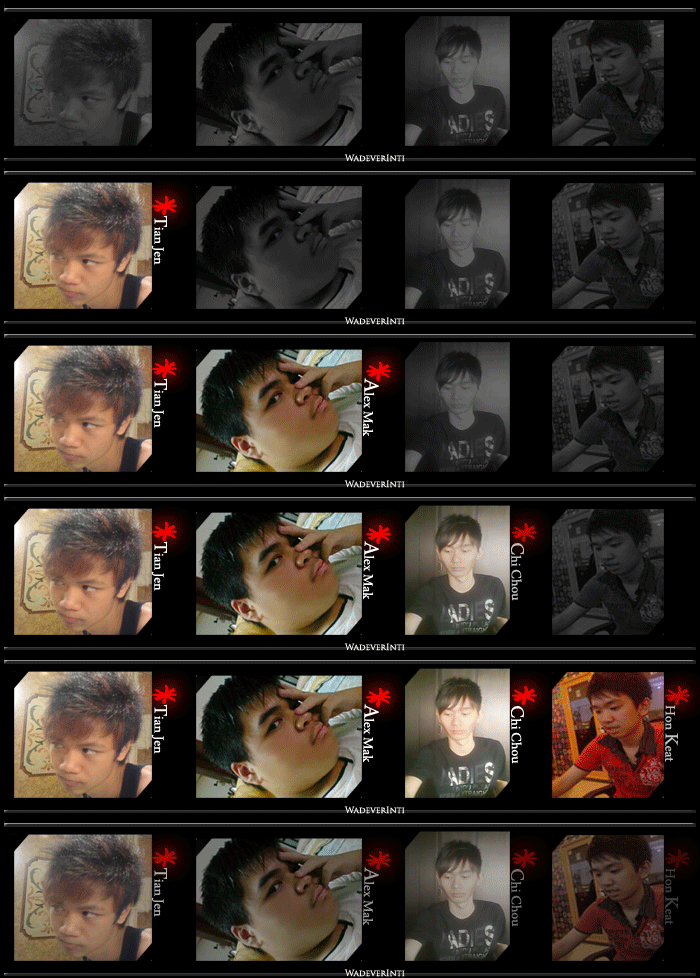
-WadeverInti: T.A.C.K Crew-

From the left: Tian Jen, Alex Mak, Chi Chou, Hon Keat

Saturday, May 8, 2010

SAMSUNG 3D TELEVISION


Over the years, 3D has evolved to now give you a great experience. Samsung brings the wonder of 3D home with full color and high resolution. Hollywood has embraced 3D with a growing number of new 3D films. Ever the innovator, Samsung has partnered with DreamWorks and Technicolor for content you can get right now. And it's not just Hollywood. A 3D TV and sports broadcast revolution is underway, and Samsung 3D TV is ready to deliver. Samsung is the world's first 3D LED TV and is compatible with broadcast and Blu-ray 3D standards. Our eyes are spaced apart from each other, which mean our left and right retinas see objects at slightly different angles. In real life, the brain merges these two images into a single three-dimensional image. To recreate this experience of depth on television, a 3D TV will display two separate but overlapping images of the same scene simultaneously, and at slightly different angles as well. One image is intended for the left eye, the other for the right. A pair of Active Glasses helps viewers perceive the two 2D images as one 3D image. Samsung's eye-popping 3D capabilities can be found in our new lineup of LED, LCD and Plasma TVs, and Blu-ray Players, including the LED 7000, LCD 750, PDP 7000 and Blu-ray 6900. Samsung's built-in 3D processor is so powerful it can convert 2D (normal) movies and photos to 3D in real-time with the push of a button.

REFERENCE: http://www.samsung.com/us/learningresources3D/

PREPARE BY: CHI CHOU

Tuesday, May 4, 2010

Skyfire 2.0: The best Android web browser?


I’m sure that you already know how awesome Android OS is, but you’ll have to agree that Android wouldn’t be the same without its apps. This time there is a new application for Android and it is called Skyfire 2.0.


Skyfire 2.0 is a browser and it’s supposed to be a replacement for native Android browser. So what’s so special about this browser? Unlike its competitors this browser has its SkyBar with 3 options that other browsers are missing, such as Video, Explore and Share. The SkyBar is positioned at the bottom of your screen so it’s quick and fast to access

Let’s have a closer look at the SkyBar. The first option, Video is used to play all the flash videos that your native Android browser couldn’t. It might not work with all the videos, but it a nice feature, so you’ll be able to view all the videos that you need fullscreen. Second option, Explore is used for finding more information about a certain topic, and all you have to do is to press the explore button and you’ll find all relative information. As for the Share option it is used to share whatever you’re browsing on other social website.

Besides the amazing SkyBar Skyfire 2.0 has a lot more nice options such as possibility to open up to 8 different tabs and to choose how will you view your pages. So bottom line is, if you have Android phone, be sure to get this app, because it’s simply amazing.


by hon keat

Creative Inspire S2 Wireless 2.1 Speaker System


One of the things no geek can ever get enough of is entertainment, if you want a good quality entertainment package either from your tele / PC, you need a crucial component not worth sacrificing – sound system. We recently received one of Creative’s mid-price range speaker systems, the Inspire S2. Its a 2.1 setup and some of you may have seen its non-wireless equipped version, this system however has been packed with bluetooth connectivity, so here’s our quick review and overall impression of the system.

Design

The Creative Inspire S2 is a slick speaker system, the largest of its three components is the Direct Throw Subwoofer. While it is a wireless speaker system, one may have thought that even its speakers are completely wire-free (as official images seem to suggest), this is in fact not true. The below pictures may demonstrate this better.The two small speakers are connected to the subwoofer through separate cables, more importantly, the right speaker’s cable is fixed to the subwoofer, this cannot be removed or unplugged. This is not the case for the left speaker, but it too is plugged to the back of the subwoofer. This rather ‘fixed’ nature of the speaker makes the Inspire S2 not so convenient or mobile for moving or handling.


Putting the wires aside, the speaker system is overall well designed and relatively compact. Your external music source (if not bluetooth compatible) can be connected to the right speaker’s aux inlet, this is also where you would connect your headphones.

Around the back of the subwoofer, this is what you would find. It has a knob which allows you to adjust the amount of bass you’d like to get out of your music / movie / film / tele / gaming experience. The Inspire S2 looks and feels stylish and well made. It doesn’t feel like cheap plastic and gives you a sense that your
money’s been well spent.

Features

Putting aside the not so cordless setup of the Inspire S2. The idea of having a bluetooth equipped wireless system is that you’d place the speakers in a fixed location where you’ll be able to leave it and forget about it and then have the freedom to move your laptop / mobile phone around the room and not have to worry about being attached to a set of speakers. We think the Inspire S2 does this fairly well.

Wednesday, April 28, 2010

Nokia N8


Nokia N8 is release. N8 look similar like the Motorola Devour and has a 3.5-inch OLED, capacitive touch screen, and all of the fun things you expect like compass and accelerometer. On paper, it seems great. It also uses Symbian^3 which. In other words, the more things change at Nokia, the more they stay the same. e Nokia N8 introduces a 12 megapixel camera with Carl Zeiss optics and Xenon flash, HD-quality video recording, film editing software and Dolby surround sound. All in aluminum design. It on 27 April 2010 and currently available in Europe. This latest incarnation introduces major new advances including multi-touch and support for gestures such as pinch-to-zoom. Onboard there are also three customizable home screens that can be loaded with applications and widgets and flicked through by a swish of the finger. There’s also improved 2D and 3D graphics for a faster and more responsive UI, greater memory management and a visual task manager.

reference:

http://events.nokia.com/NokiaN8/

prepare by: chi chou

Tuesday, April 27, 2010

Nexus One,The Google Phone

Two years after announcing Android, Google answers the question “where’s my GPhone?” by launching Nexus One. It’s not the first Google-branded phone manufactured by HTC, but it’s the first Android phone sold by Google.
Andy Rubin likes to call it a superphone because it’s much more than a regular smartphone. Even if Nexus One is probably the best Android phone on the market, it’s far from being revolutionary.

Manufactured by HTC, the Nexus One features dynamic noise suppression from Audience, Inc., a large 3.7″ OLED display for deep contrast and brilliant colors and a 1GHz Qualcomm Snapdragon chipset for blazing speeds. Running on Android 2.1, the newest version of Eclair, the software includes innovations like a voice-enabled keyboard so you can speak into any text field, fun Live Wallpapers, a 3D photo gallery for richer media experiences and lots more. Of course, it also comes with a host of popular Google applications, including Gmail, Google Voice and Google Maps Navigation,” mentions Google.

The phone is available for purchase in the United States and can be shipped to the UK, Hong Kong, and Singapore.

Posted by,Tian Jen
Site of reference
http://www.techpark.net/2010/01/07/nexus-one-the-google-phone/

Saturday, April 10, 2010

Personal Information Manager Software.

A Personal Information Manager (PIM) is a software program that allows user to keep track of their activities. PIMs are different from each other in the number of functions they provide, but usually they can have functions such as:

-Address Books
-List (Including task lists)
-Calender dates (Example; Birthdays, anniversaries, appointments and meetings etc)
-Reminders/notifications
-Email and/or instant messaging services (MSN,Yahoo etc.)
-Voicemail
-Notes/journals (keeping track of finance records)
-Project Management features
-RSS feeds
-Alarms

PIMs ensure it's user to store and retrieve important information easily. Most users use PIMs to handle work activities, scheduling and reminders to improve their efficiency. Users that are not working too can use PIMs to manage their social life. The aim of PIMs is to help users spend lesser time looking for information and thus free up more time to make creative and intelligent use of the information that hey have at hand in order to get things done swiftly with minor or no errors at all.

There are several PIM softwares on the market that satisfies most of the user's needs;


Microsoft Office Outlook 2007:


This software provides integrated solution for organizing and managing user's e-mail and instant messaging. It also manage daily information-- from calendars, contacts to task lists and notes. Microsoft Outlook is able to help users to manage appointments and scheduling tasks efficiently.


An example of calendar scheduling.


MyInfosafe:

Similar to Microsoft Office Outlook 2007; It comes with basic scheduling,calender,task management and contact list. But this software specialize in saving personal information. MyInfoSafe contains details such as the date and time of the information was inserted in the program. It also have special encryption security to prevent outsiders from having access into user's information fault (Such as hackers!). The best thing about this software is that its user-friendly and all information can be accessed by trusted individuals (with passwords) in case of emergency (such as accidental deaths). Therefore, some users may use this program to record their wills and power of attorney with attachment to the scanned documents.


-Posted by Alex Mak.

Wednesday, April 7, 2010

Spread Sheet Software

Spreadsheet applications (sometimes referred to simply as spreadsheets) are computer programs that let you create and manipulate spreadsheets electronically. In a spreadsheet application, each value sits in a cell. You can define what type of data is in each cell and how different cells depend on one another. The relationships between cells are called formulas, and the names of the cells are called labels.

Once you have defined the cells and the formulas for linking them together, you can enter your data. You can then modify selected values to see how all the other values change accordingly. This enables you to study various what-if scenarios.

A simple example of a useful spreadsheet application is one that calculates mortgage payments for a house. You would define five cells:

  • 1. total cost of the house
  • 2. down payment
  • 3. mortgage rate
  • 4. mortgage term
  • 5. monthly payment
  • Once you had defined how these cells depend on one another, you could enter numbers and play with various possibilities. For example, keeping all the other values the same, you could see how different mortgage rates would affect your monthly payments.

    There are a number of spreadsheet applications on the market, Lotus 1-2-3 and Excel being among the most famous. The more powerful spreadsheet applications support graphics features that enable you to produce charts and graphs from the data.

    Most spreadsheet applications are multidimensional, meaning that you can link one spreadsheet to another. Athree-dimensional spreadsheet, for example, is like a stack of spreadsheets all connected by formulas. A change made in one spreadsheet automatically affects other spreadsheets.


    by Hon keat